



Frequently Asked Questions
The ConnectPad comes with a wireless magnetic charging cradle and a magnetic travel changing cord. At home, simply place the ConnectPad into the cradle, plug into an A/C outlet, and it will begin charging automatically. When traveling, unplug the USB connector at the power plug, insert the USB connector on the travel cord, and plug into an A/C outlet. The ConnectPad will vibrate when first inserted as an indication that it is successfully charging and the charge percentage is displayed on the lock screen. You can remove the ConnectPad at any time, and it will stop charging when it’s fully charged. When fully charged, the ConnectPad should operate for several days depending on usage.
The ConnectPad comes with full cellular calling/dialer built-in. Simply tap the phone button on your home screen, then use the dialer keypad to make calls.
Anyone with a Google Account can share photos directly with the ConnectPad if you're in their contacts or by searching for your email. They can also create a link to share photos with you. You can also do the same to share photos with them.
The ConnectPad comes with 4G LTE built-in with a monthly data plan subscription. In addition Wi-Fi can be used anytime. Simply open Settings, go to option Network & Internet, turn on Wi-FI and select the network you want to join. 911 calls will use cellular however, all other functions of the ConnectPad can be used when connected to Wi-Fi.
The ConnectPad comes with Candy Crush Saga and Pyramid Solitaire Saga pre-loaded. You can also download additional games via the Play Store.
The ConnectPad comes with the Google Chrome Internet browser pre-loaded. Simply tap it from your home screen to access the Internet.
When using Google Duo you'll hear an auditory signal or "ring" and see a video preview of the person calling before they can see you.
The ConnectPad does not require a password but a password can be easily setup to unlock the ConnectPad's lock screen.
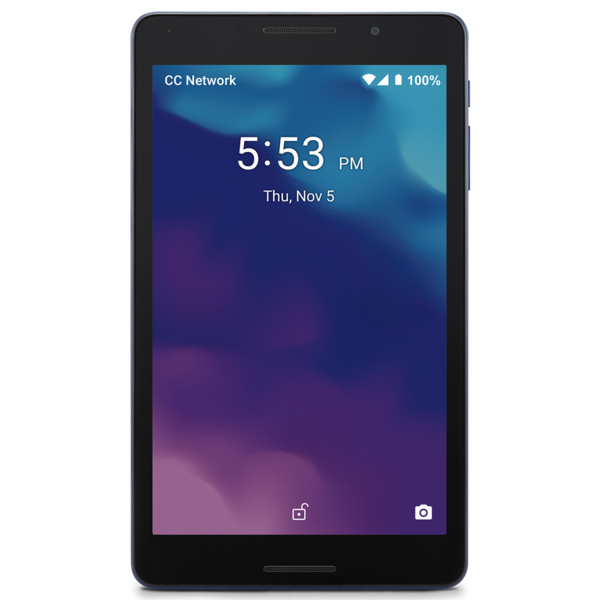
The battery level percentage is always displayed in the upper right hand corner of the ConnectPad.
Yes, the ConnectPad comes with full cellular calling built-in and text messaging. You can make 911 and 411 calls. You can use text messaging to text short codes or send photos and videos.
Yes, the ConnectPad is capable of downloading many rideshare applications of your choice.
Yes, if they have Google Duo or whatever video calling app you have downloaded from the Play Store they will be alerted when you call and can join your video call.
The ConnectPad comes with the Google Suite preloaded. This includes Google Mail, Duo, Chrome, Messenger, Maps, YouTube, Google Drive, Photos, Contacts, Calendar, News, the Play Store, and the Google Assistant. It comes with a cellular dialer. It is also preloaded with games such as Candy Crush Saga & Pyramid Solitaire Saga, and weather from AccuWeather. It also has a calculator, clock, and a find device app.
The ConnectPad comes with YouTube Music pre-loaded in the Google folder. There is also a Music folder that has a list of popular music apps with links to download in the Play Store.